Discover calls
Browse reviewed residencies and open calls, and filter down to what fits.
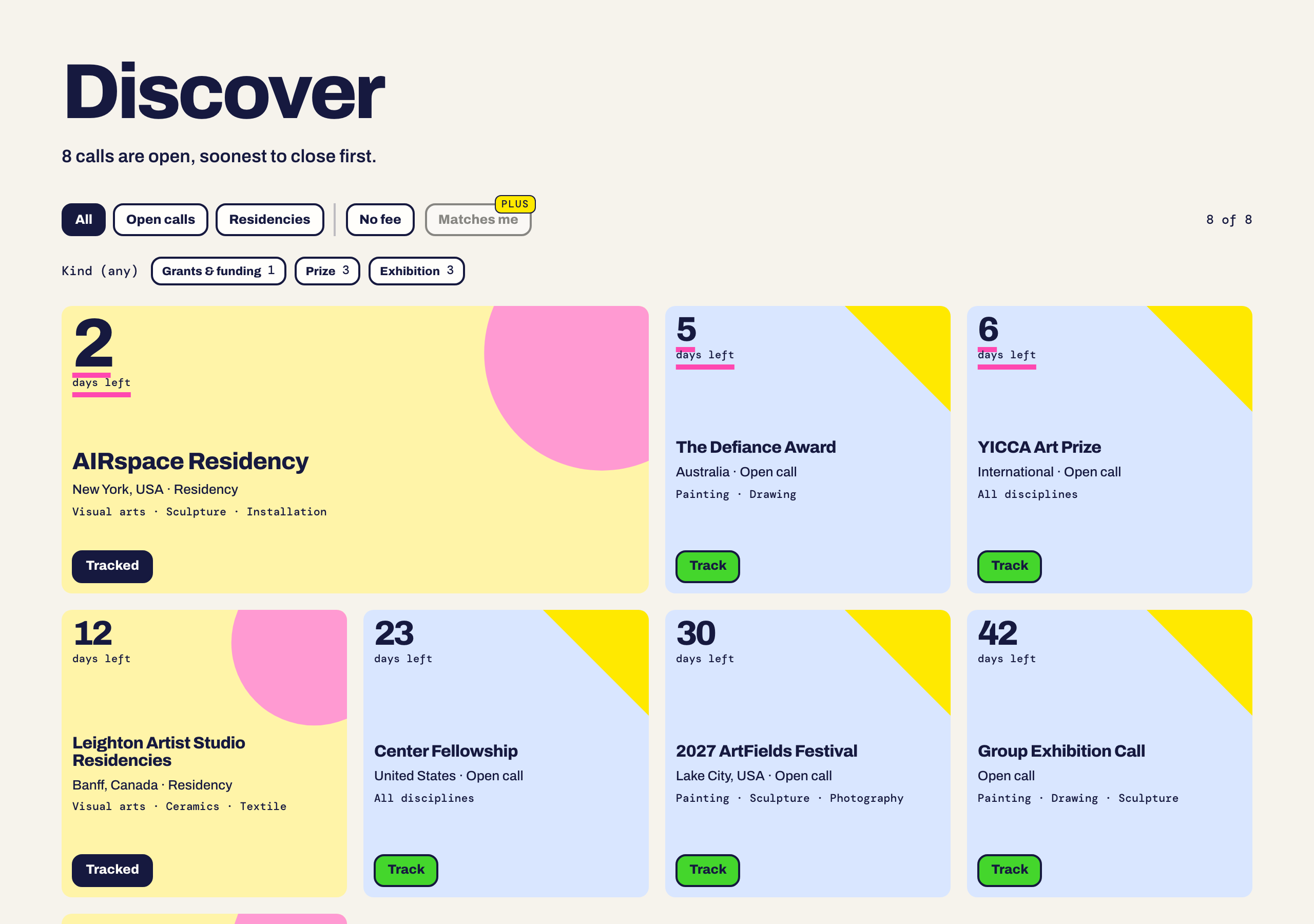
Reading a tile
Every tile shows the days left, the host, the place and the funding, for example No fee or Fee: $65. The colour and shape tell you the type:
- Yellow with a circle: a residency.
- Blue with a triangle: an open call.
Choose Track to save a call to your Registry. The button then reads Tracked, so you can see what you already have.
Filters
Use the buttons at the top to narrow the list:
- All, Open calls, Residencies switch the type.
- No fee keeps only calls that do not charge you to apply.
- Matches me keeps only calls that fit your sheet. See below.
- Kind chips narrow further, for example grants and funding, prizes or exhibitions. The small number on each chip is how many calls it holds.
Matches you
Tiles that fit your sheet carry a Matches you badge, and Matches me filters the wall down to them. Matching compares your disciplines and funding preference with each call.
Open a call
Choose About this call for the full description, the deadline and what the host asks for. Apply goes to the host's own application page.
Is the link still working?
We check each live call's application link every night. When the last check passed, the call page shows Link checked with how long ago. If you click Apply and the host has taken the page down, we open the call's own page instead and tell you. If we could not check a link, nothing is shown and Apply goes straight to the host.
Something here is wrong or missing? Use the Feedback button in your dashboard and tell us. We fix the article.