Your Registry
The calls you track, grouped by what needs doing, with a status you control.
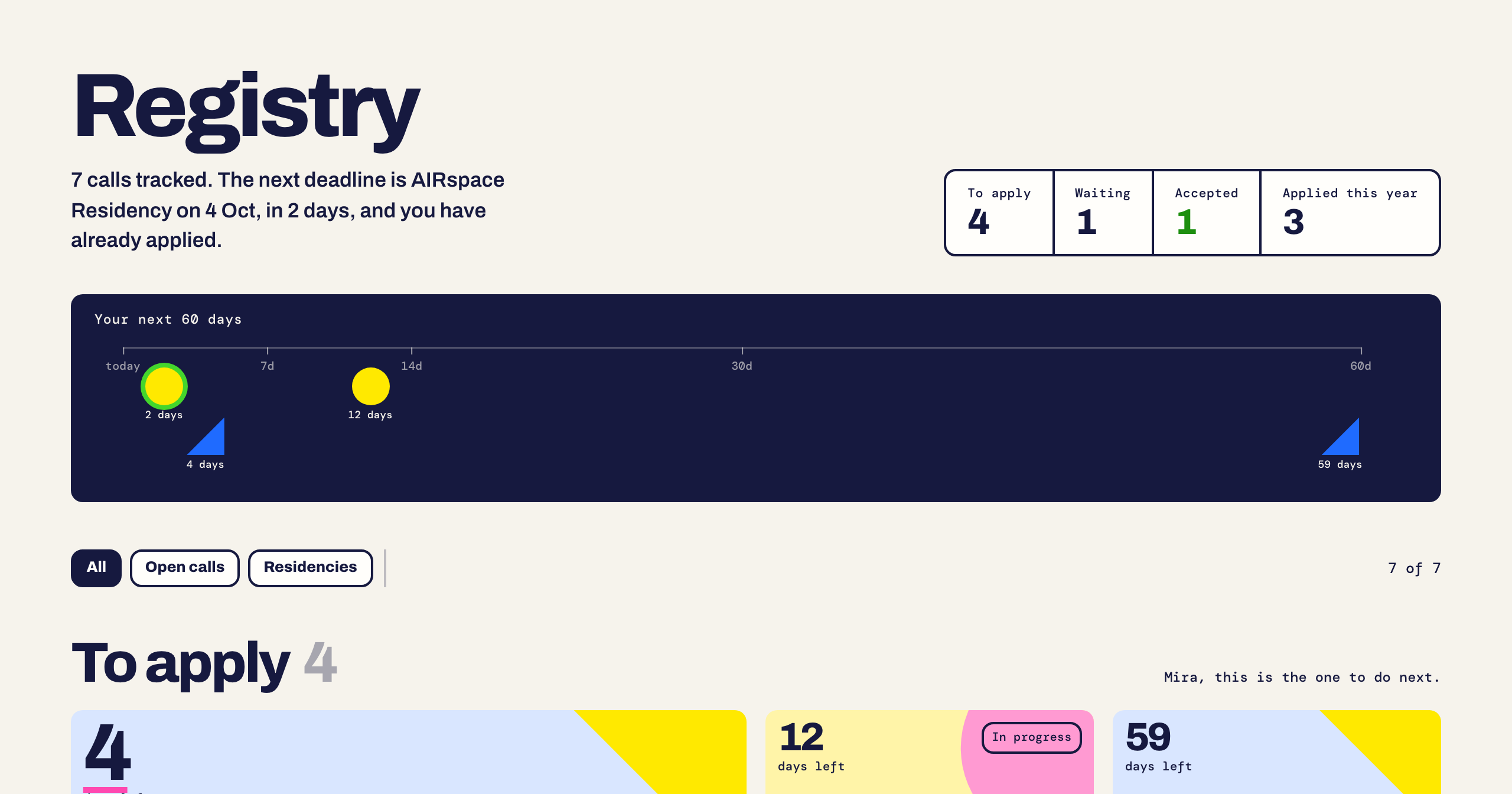
What goes in
A call lands in your Registry three ways: you track it in Discover, you save it with the Chrome extension, or you capture it from your phone.
Statuses
Each call carries a label. You move it along yourself.
- Tracked: you saved it.
- In progress: you started filling the application.
- Applied: you sent it. Choose Mark applied on the call.
- Accepted or Rejected: the outcome.
The page heading summarises it: how many calls you track, the next deadline, and whether you already applied to it.
Filtering
All, Open calls and Residencies switch the type. The counter beside them shows how many of your calls are visible.
Removing a call
- Untrack removes a call you tracked. Once a call is past Tracked, we ask you to confirm first.
- Delete appears on your private captures. It removes the capture.
Open or apply
About this call opens the full record. Apply goes to the host's application page.
Something here is wrong or missing? Use the Feedback button in your dashboard and tell us. We fix the article.