Capture a call from your phone
Share an Instagram post into your Registry in three taps, then check what we read.
Found an open call on Instagram? Share it to Arttera and it lands in your Registry as a private capture. You only set it up once.
1 Share the post
Tap Share on an open call.
2 Pick Save to Arttera
It sits in your share list once set up.
3 Check the card
Fix anything we misread, then save.
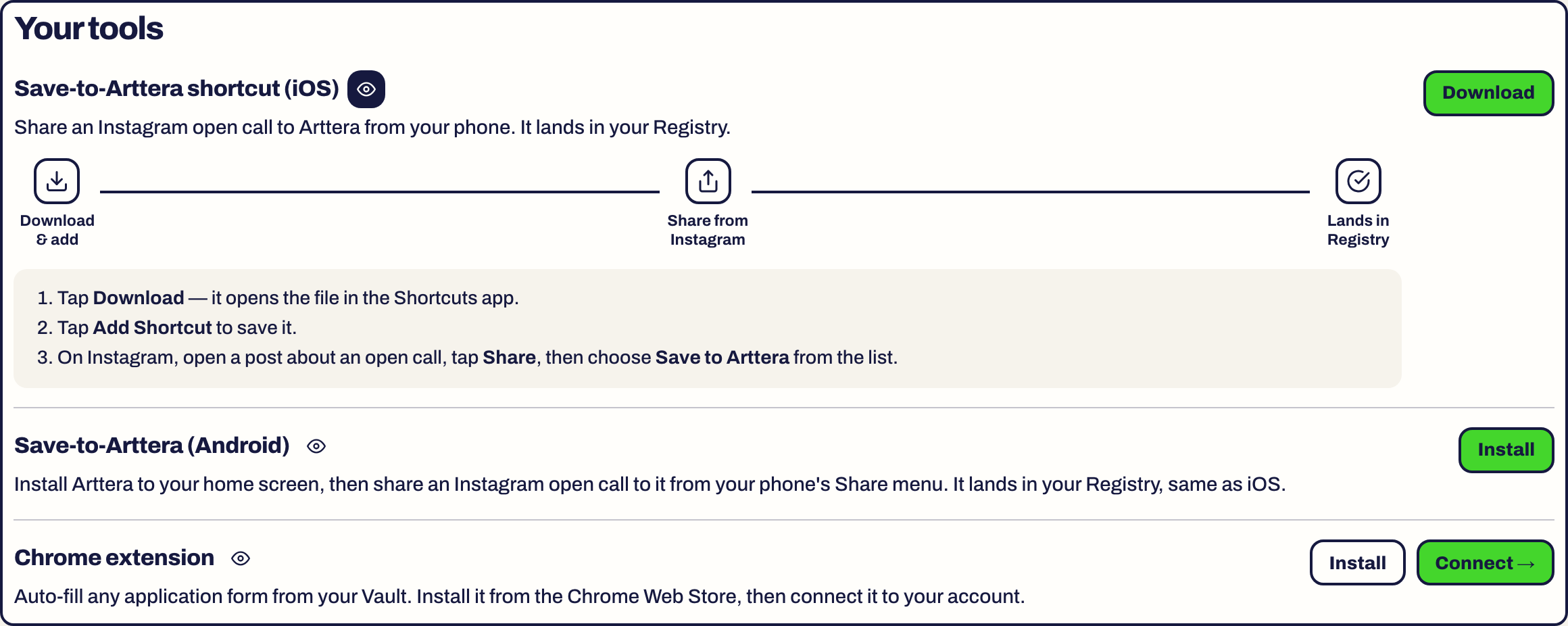
Set up on iPhone
- Open Settings in the dashboard on your phone, find Save-to-Arttera shortcut (iOS) and tap Download.
- The file opens in the Shortcuts app. Tap Add Shortcut.
- That is it. The shortcut carries your account, so there is nothing to sign in to.
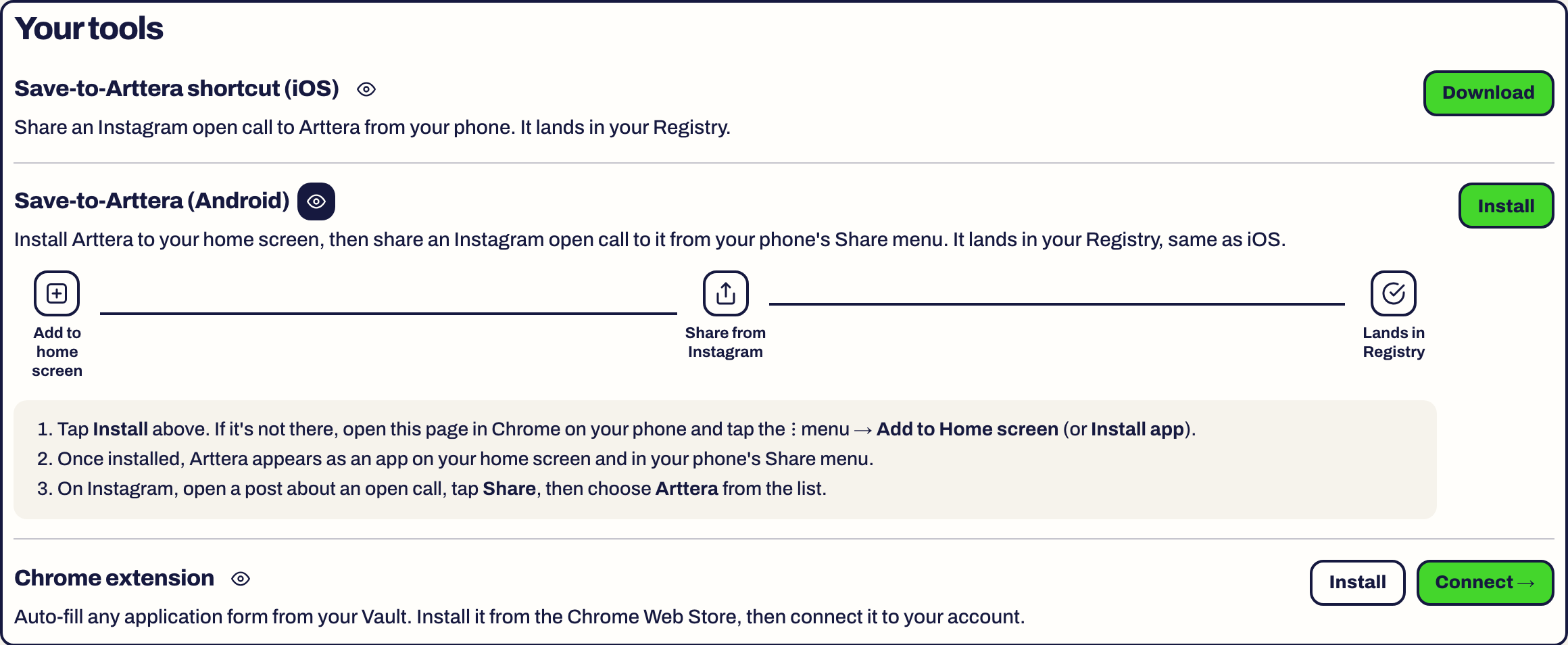
Set up on Android
- Open Settings on your phone and find Save-to-Arttera (Android). Tap Install.
- If there is no Install prompt, open the page in Chrome and use the menu with the three dots, then Add to Home screen (or Install app).
- Arttera now appears as an app on your home screen and in your phone's Share menu.
Capture a call
- On Instagram, open a post about an open call.
- Tap Share.
- Choose Save to Arttera on iPhone, or Arttera on Android.
We read the post's text and pull out the title, host, deadline, discipline, funding and link. Other shared links are read the same way.
Check what we read
The capture opens a page called Quick review. This is where you fix mistakes.
- Title and Organization
- Deadline, written as year-month-day, for example 2026-11-30
- Discipline(s), separated by commas
- Funding: Unspecified, Funded / stipend, Free to apply, Artist pays a fee, or Cost share
- Apply link and Description
Tap Save. The page confirms with Saved - still private to you.
Keep it private or contribute it
A capture is private to you. Nobody else sees it.
If you think other artists should see it, choose Contribute to Arttera. The button changes to Submitted for review. We check it like any other listing before it goes public.
Find it again
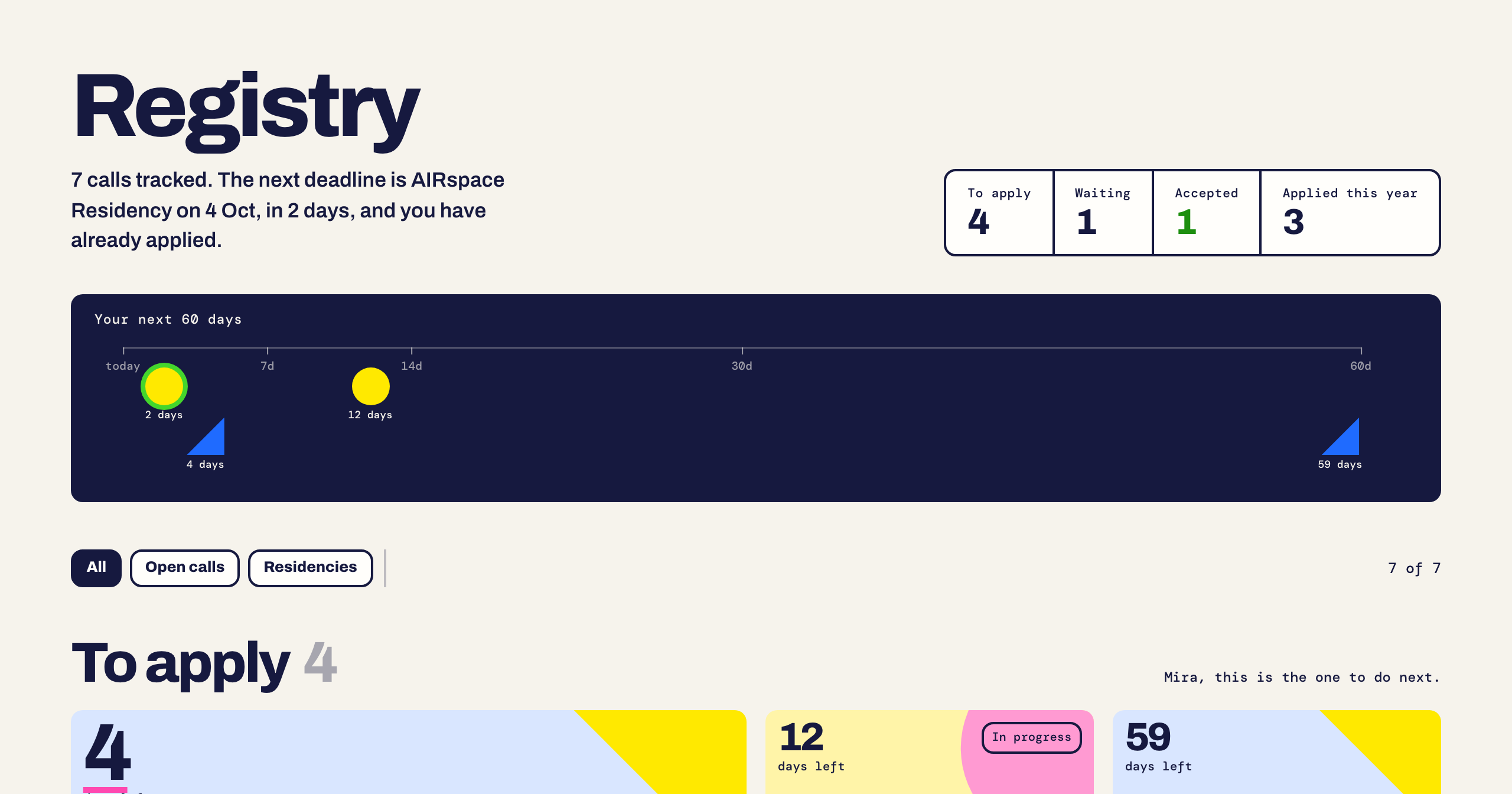
Captures appear in your Registry with the rest of your calls. A private capture has a Delete button where other calls have Untrack.
Limits
Captures are counted. Settings, under Your usage, shows how many are left. See Usage and limits.
Something here is wrong or missing? Use the Feedback button in your dashboard and tell us. We fix the article.