Usage and limits
Where to see what you have used, and when the counts start again.
Some tools use AI, and those uses are counted so the service stays sustainable. You can always see where you stand.
Where to look
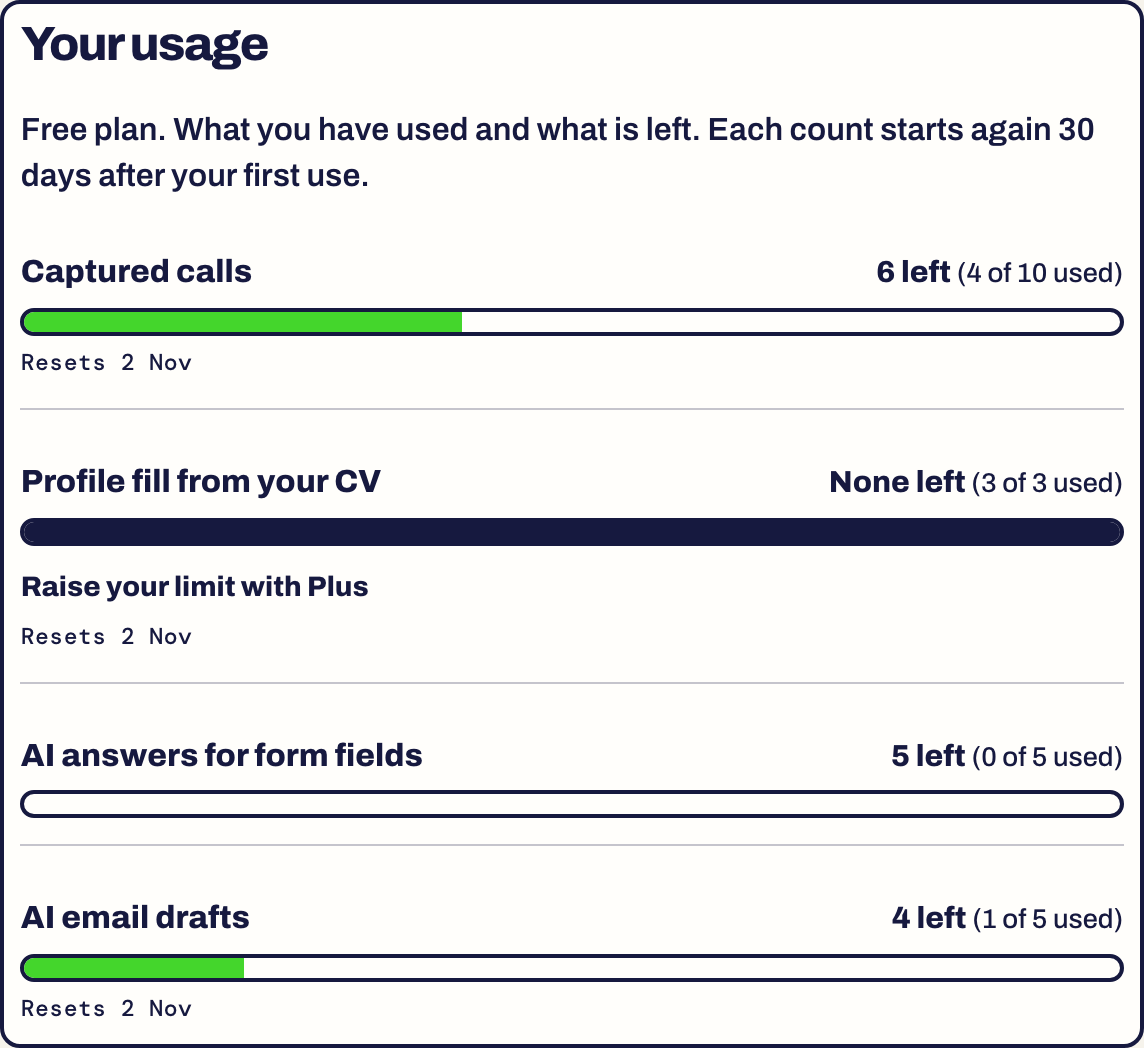
Open Settings. The Your usage card lists each counter with a bar, how many are left and when it resets.
What is counted
- Captured calls: calls you capture from your phone.
- Profile fill from your CV: filling your sheet from an uploaded CV.
- AI answers for form fields: answers the extension writes for open questions.
- AI email drafts: drafts from Apply by email.
When it resets
Each count starts again 30 days after your first use. The card shows the date under the bar, for example Resets 2 Nov.
When you run out
The tool tells you and stops for that counter. Everything else keeps working, and your own typing never counts. If the limits get in your way, tell us with Feedback.
Something here is wrong or missing? Use the Feedback button in your dashboard and tell us. We fix the article.